# Troubleshoot a deployment
Find a failed Component, inspect its logs and health, then correct or roll back the revision.
Canonical: https://docs.deliberate.space/operate/observe-and-recover/
Start with the Environment canvas or these three commands:
```sh
deliberate status
deliberate components list --env production
deliberate deployments list --env production
```
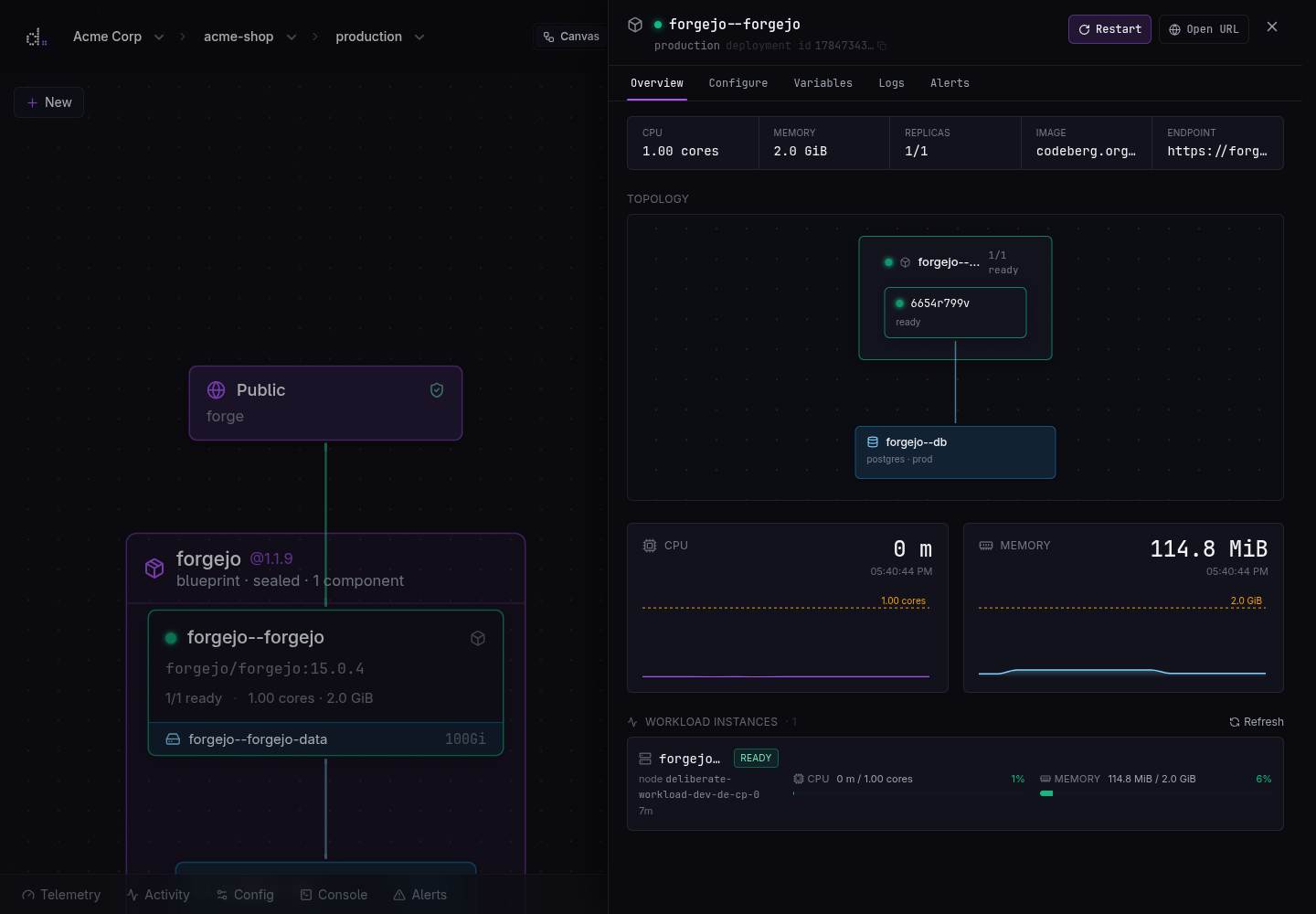
The Environment canvas shows the same topology. Select the unhealthy Component
or Blueprint node to inspect its rollout and operational controls.
A Component sheet joins desired limits with the deployed image, live utilization, topology, and individual workload instances.
## Find where the apply failed
`deliberate apply` validates the complete desired state before reconciling it
and streams each phase as it happens. A validation or unresolved-secret error
means that desired state was rejected; correct the YAML or set the named secret
and apply again. A rollout error means a revision was recorded but one or more
runtime resources did not become ready. The previous process may still be
serving traffic while the replacement is unhealthy, depending on how far the
rollout progressed.
For a rollout failure, inspect the failed Component:
```sh
deliberate deployments list --env production
deliberate components list --env production
deliberate logs --env production --component app
```
Compare the image, command, port, health check, required secrets, and dependency
bindings with the application. Fix desired state and apply again; `apply` is
idempotent, so recovery does not require deleting the Environment first.
## Inspect logs and metrics
```sh
deliberate logs --env production --component app
deliberate metrics --env production --component app
```
Use `exec` only when observation is insufficient:
```sh
deliberate exec --env production --component app -- sh
```
If a public request returns 403 or 413 without appearing in the component logs,
review [Web traffic protection](/operate/web-traffic/). The response may have
been produced by the gateway before the request reached the application.
## Check the deployed image
The platform scans images pushed to the deliberate. registry and refreshes the
results as its vulnerability database changes. Inspect the status and severity
summary for an image, then open the package-level findings when needed:
```sh
deliberate images list --project hello-java
deliberate images vulns hello-java:1.0.0
```
The detailed report names the affected package, installed version, severity,
and available fixed version. A newly pushed image may report that scanning is
still in progress.
## Review and silence alerts
Alert policy belongs in desired state so it follows the resource and
Environment. The console edits the same operational policy for a deployed
Blueprint. Use `deliberate alerts events` to inspect history and `deliberate
alerts silence` for a bounded operational silence. Read [Configure
alerts](/operate/alerts/) for the available signals, thresholds, recipients,
testing, and silence workflow.
## Roll back application configuration
Choose a previous deployment revision when correcting the current YAML would
take longer than restoring known application configuration:
```sh
deliberate deployments rollback --env production
```
`deployments rollback` first prints the resources it will keep, restore, add,
or remove. After confirmation it writes a new revision derived from the chosen
historical revision and reconciles the Environment to it. The historical record
is never mutated. Protected Environments require their name to be typed; use
`--force` only in an already-reviewed automation path.
Rollback restores authored application state: images, configuration, routes,
and the declared resource topology. It does **not** rewind the contents of a
database, volume, or bucket. Use the resource's backup and restore workflow for
data recovery. If a bad application revision also wrote incompatible data,
decide on application and data recovery together before acting.
## Recover data
Database tiers and volume backup policies determine which recovery points are
available. An on-demand database backup is a separate runtime action:
```sh
deliberate databases backup postgres --env production
```
Read [Databases](/data/databases/) for database backup and restore
behavior, [Volumes and backups](/data/volumes/) for snapshot policies, and
[Data protection](/data/protection/) for the encryption and isolation model.
## Next steps
- [Configure actionable alerts](/operate/alerts/)
- [Investigate a gateway 403 or 413](/operate/web-traffic/)
- [Review database and volume recovery boundaries](/data/protection/)